


The Input Color Space parameter tells LensNode what color space the footage arriving at the node is in. LensNode produces its best results from camera log inputs or linear spaces, because those preserve the highlight and out-of-range information its effects depend on.
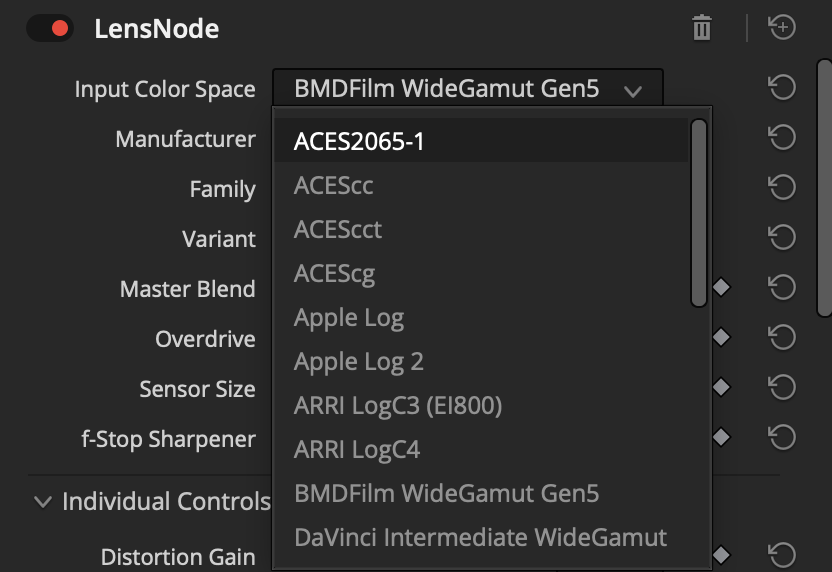
Supported input spaces
LensNode currently supports:
- ACES2065-1, ACEScc, ACEScct, ACEScg
- Apple Log, Apple Log 2
- Arri LogC3, Arri LogC4
- BMDFilm Gen 5
- DaVinci Wide Gamut Intermediate
- Canon Log 2, Canon Log 3
- Fujifilm F-Log, Fujifilm F-Log2, Fujifilm F-Log2C
- DJI D-Log
- Panasonic V-Log
- RED Log3G10
- Sony S-Log3 S-Gamut3, Sony S-Log3 S-Gamut3.Cine
- Rec709 Gamma 2.4, sRGB Encoded Rec709, Camera Rec709
Footage in an unsupported space
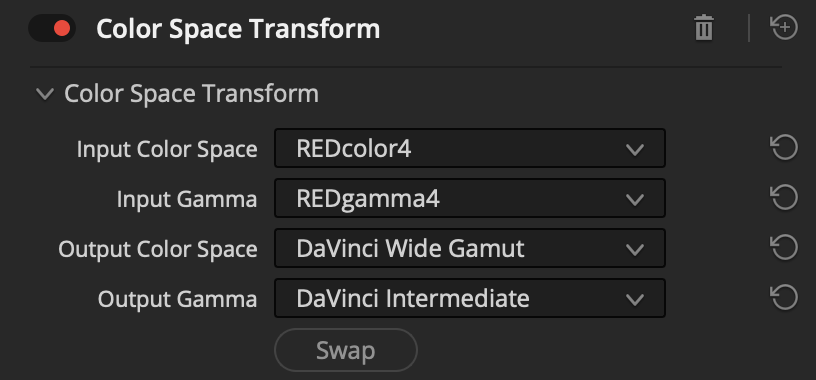
If your footage is in a log profile that isn’t in the list above, we recommend using Resolve’s Color Space Transform node to convert it to DaVinci Wide Gamut/Intermediate, then running LensNode in DaVinci Wide Gamut mode.
Internal working space
Internally, LensNode processes everything in ACEScg (AP1 Linear). Whatever you set as the input space is converted to this working space, so it’s worth getting the input setting right. An incorrect input space is the most common reason results look wrong.
 Made in California