



Select the colorspace of your footage or the working space your footage has been adapted into. (For more info on color-managed pipelines and intermediate spaces, see Color Management.)

Working With Display-Referred Footage
Filmbox’s ability to produce an accurate emulation depends on using “log” or “scene-referred” footage, but in some cases it may still produce creatively useful results on graphics or footage that has a display transform burned in by the camera or previous processing.
The Source > (Inaccurate) Rec.709 Gamma 2.4 option can be used for generic Rec.709 or sRGB source footage or graphics. Some manual contrast / tonal adjustment before the Filmbox node will likely be needed to get a useful look.
More Input Spaces
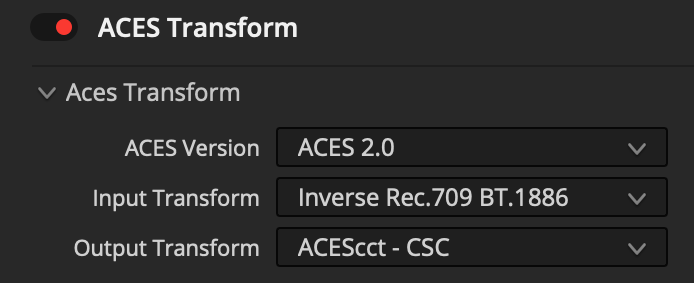
You can take advantage of additional ACES camera input transforms and reverse display transforms by placing an ACES Transform OFX node before the Filmbox node. Set both the ACES Output Transform and the Filmbox Source to ACEScct.
Camera
Adjust the camera’s true exposure and color balance before emulation. These controls are especially useful when compensating for differences in balance and exposure between cameras.
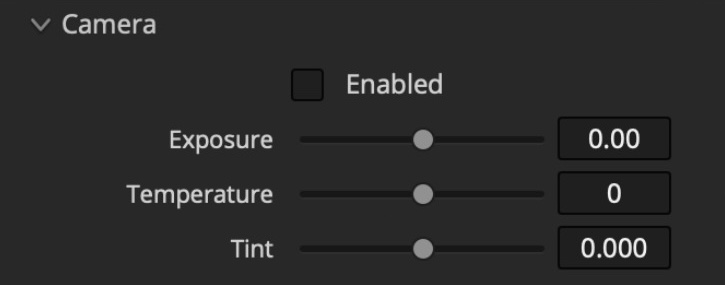
- Exposure: Scene-referred exposure adjustment expressed in stops.
- Temperature: Color temperature adjustment in degrees Kelvin offset from a reference.
- Tint: Green / magenta bias.
 Made in California