


Print Overview
The way a negative is prepared for display is, in many ways, more consequential to the final look than the color and tonal response of the negative itself.
A negative can be displayed by printing it to print film, or by scanning it and performing a digital transform that mimics aspects of that process. This is true for motion picture and still photo negatives, though each uses different print or scan methods.

Scanning and using a digital transfer function generally produces a more neutral, clean, linear, and objective color and tonal response—more like digital imaging or real life.

Printing a negative yields the full “film look” with beautifully non-linear tones and complex organic distortions in every dimension of the color reproduction.
The print module can simulate either process and allows you to blend aspects of each to create exactly the look you’re after.
Print Styles
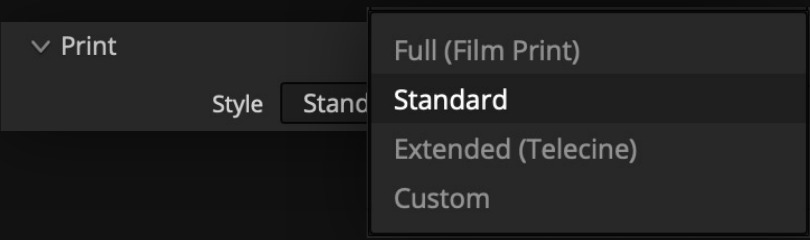
Full Style
This option is the most faithful to a contact print of the negative.
Standard Style
A slightly modified version of Full that loosens up the constraints of print film just a little, allowing brighter colors, less constrained greens, and smoother tonal response, and making it more generally useful without deviating much from the print look.
Extended Style
More closely resembles the tonal and color characteristics of a negative scan processed with a digital transfer function or “telecine” process. The gamut is less constrained, the gray axis is more color-neutral, and the black point is lower and results in a filmic image that is closer to standard digital cinema display transforms.
Custom Style
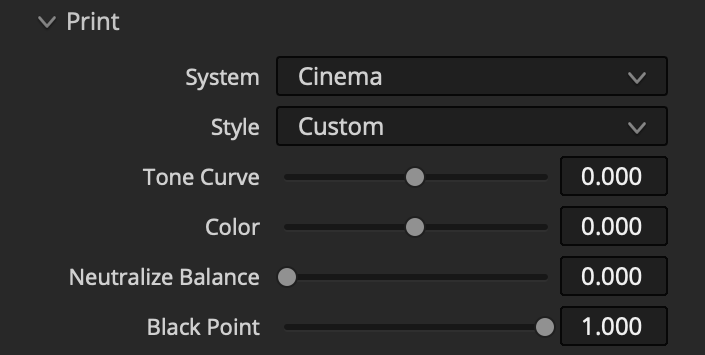
This reveals controls to customize the underlying print style parameters. The sliders will be at the values used by the last selected Print Style:
Tone Curve: A value of -1 produces a more “filmic” contrast curve that is more faithful to a contact print. 1 produces a curve that more closely resembles the tone curve of common digital cinema display transforms.
Color: 0 is more faithful to the color rendition of a printed negative, marked by a characteristically distorted gamut, cold shadows, and warm/greenish highlights. 1 more closely resembles a scan of the negative processed with a digital transfer function, resulting in a more color-neutral gray axis, less constrained gamut, and more “true-to-life” color rendition.
Neutralize Balance: Neutralizes only the cold shadow / warm highlight bias of the print response without changing other aspects of color rendition. This has little effect if Color is set to a high value since this is already quite neutral. Overall tonal balance will still be influenced by the negative’s tonality, which can also be neutralized in Lab.
Black Point: 1 is lifted and more faithful to a print; 0 modifies the black point, pushing it towards zero.
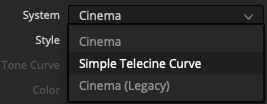
System
Select from different Print System options such as Cinema and Simple Telecine Curve. Cinema (Legacy) is an older version of Filmbox print color science retained for backward compatibility.
Simple Telecine Curve
An alternative to the Cinema print system that uses a simple tone curve to prepare the negative scan for display and entirely lacks a color transformation or print color emulation. It’s even more basic than the Extended (Telecine) option in the Cinema print system. It can produce looks that feel more “dry,” similar to some indie films or older HDTV telecine film transfers, and can be tuned to produce interesting results.
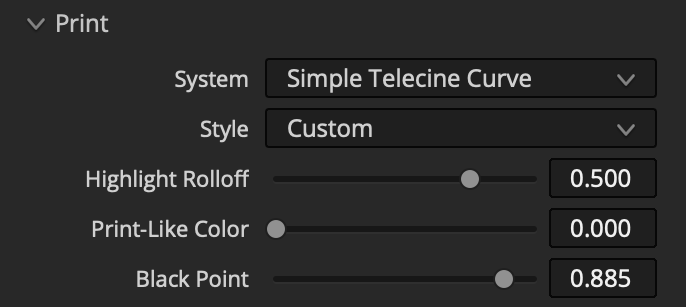
Highlight Rolloff: Adjust the highlight roll-off of the telecine curve. Low values hard-clip highlights; high values produce a longer roll-off.
Print-Like Color: Does nothing at 0; at high values, it adjusts hues to be a little more restrained and print-like without performing a full print emulation.
Black Point: Adjusts the black point.
 Made in California