


Livegrade and AMD GPU support for Filmbox and Scatter, refined color controls, and new looks.
 Livegrade Frontier support
Filmbox Pro, Filmbox Looks, and Scatter are the first plugins to run in real time on live video feeds in Livegrade Frontier, so DITs can use them for live preview and look development on set with full color and spatial processing, including grain, halation, diffusion, and more. Filmbox Pro is fully compatible with Livegrade Frontier’s LUT export functionality as well.
AMD support
Filmbox Pro, Looks, and Scatter now support AMD GPUs as well as Intel GPUs alongside NVIDIA on Windows and Linux.
Faster processing
Filmbox Pro and Looks 3.6 now process nearly twice as fast (!) as version 3.4 on NVIDIA GPUs and 15–20% faster on macOS.
Hi-Sat Density
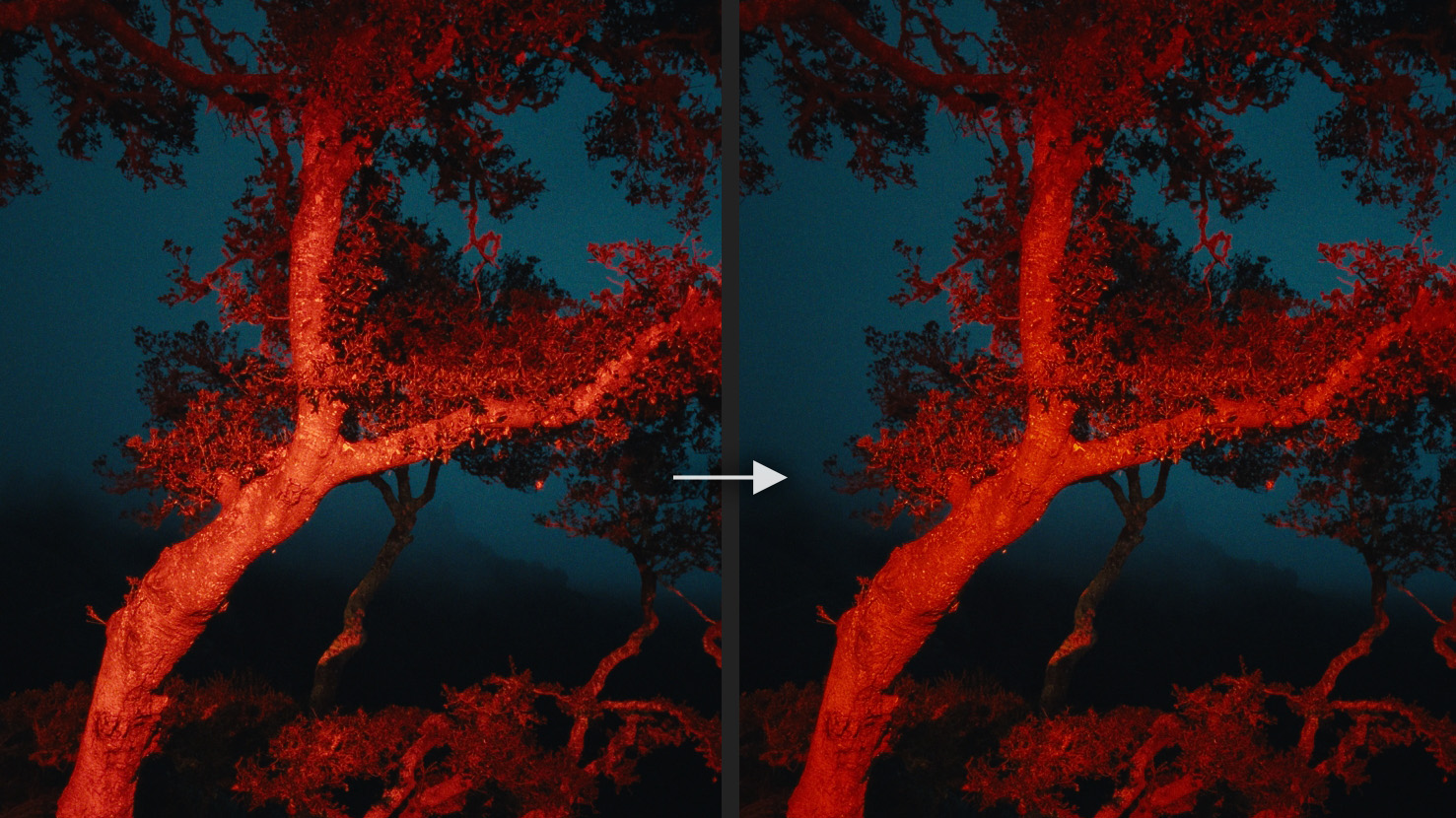
We refined the Filmbox Pro Color Density control. It’s now called Hi-Sat Density and has a more focused effect on extremely saturated colors, allowing you to produce more “pure” and rich rendering of things like super-saturated LED sources with less effect on less saturated colors.
Skin Hue
We’ve also added a Skin Hue control under Negative > Color and Tone, which allows you to control the skin tone rendering of the negative.
New toasted looks
We’ve added a couple of new Looks to Filmbox Pro and Filmbox Looks called Toasted 250D and Toasted 500T that use the new color parameters to make rich amber skin tones, gentle contrast, and lots of deep color that extends into the highlights, a fitting nod to the end of summer in LA.
LensNode 2 brings more platforms, faster performance, better licensing, and a 14-day trial
We’re incredibly excited to announce a partnership between Video Village and Node Mill!
We’re huge fans of what Elliott and Jarrad have built.
Starting today, LensNode is available to purchase exclusively through Video Village, with installation and updates managed through the Video Village Plugins app.
LensNode remains a Node Mill product, built, developed, and maintained by Elliott and Jarrad. Video Village provides the purchasing, licensing, and plugin-management platform, and our teams will work closely together.
The partnership brings subscription-to-perpetual upgrade credit, a full 14-day trial, and LensNode 2, which is faster, adds new controls and lens profiles, and runs on far more platforms.
Existing licenses will carry over automatically. See Transition details below for everything you need to know.
Meet LensNode
LensNode is a fast, accurate lens-simulation plugin for shaping the optical character of an image. Its library of 111+ lens profiles is built by capturing real lenses and recreating their distortion, coma, chromatic aberration, fringing, bokeh blur, bloom, vignetting, and color cast.
Choose a complete lens profile for a quick starting point, then dial individual characteristics up or down, push the whole profile with Overdrive, or mix and match traits from different lenses to build a custom look. The result can be as subtle as real lens character or as stylized as you want.
New platforms, new pricing, new trial
LensNode is now available on many more software platforms. With LensNode 2, it runs on Adobe Premiere Pro, Adobe After Effects, Apple Final Cut Pro, and FilmLight Baselight, plus DaVinci Resolve on Linux. That’s on top of DaVinci Resolve for Windows and macOS, where LensNode has always run.




If you’re on a subscription, your payments build up as credit toward a perpetual license, covering up to 50% of the cost of buying it outright. This creates a simple, automated upgrade path for anyone who wants it. Customers can also purchase extra device activations for LensNode at any time.
Subscription payments you’ve already made will count toward your upgrade credit too.
The trial has improved as well. It now runs on every platform LensNode supports, and it’s a full 14-day trial with no watermark.
LensNode 2
LensNode 2 brings a host of new features and changes.
Performance boost
A new 16-bit processing mode makes LensNode 2 noticeably faster across the board—in some cases around twice as fast as the previous release.
Modulation Transfer Function (MTF) controls
New Modulation Transfer Function controls let you set fine contrast at low, medium, and high frequencies to dial in extra sharpness or softness. They sit on top of whatever a lens profile is already doing, giving you a more creative way to shape sharpness.
Coma steps
You can now increase the number of steps used to calculate coma rays, trading lens-profile accuracy for exaggerated looks that weren’t achievable before without visible stepping.
Lens Whack overlay snap-to-center
The Lens Whack overlay target now snaps to the center when you drag it nearby, so recentering is much quicker. You can still fine-tune its exact position with the X and Y parameters.
Mix and Match Bokeh Shapes
Now users can swap out the bokeh shape from one lens profile to another.
Bokeh Boost
Depth Gain control, which previously added blur based on the depth input, is now called Bokeh Boost when no depth input is provided to LensNode, and dialling it up adds blur to the entire image, regardless of lens profile.
Legacy project compatibility
LensNode 2 is enough of a change that it isn’t backwards compatible with projects built on earlier releases. Alongside it, Node Mill is releasing LensNode 1.4.6 through Video Village: a legacy build that stays fully backwards compatible with existing projects.
LensNode 1.4.6 won’t receive the new LensNode 2 features, but it will keep behaving exactly as you’re used to if you aren’t ready to move over yet.
New lens profiles
Tokina Cinema Vista Primes
- 18mm T1.5
- 25mm T1.5
- 35mm T1.5
- 40mm T1.5
- 50mm T1.5
- 65mm T1.5
- 85mm T1.5
Nikon Nikkor
- 24mm f/2.0
- 35mm f/1.4
- 50mm f/1.2
- 85mm f/1.4
Transition details
If you already own LensNode, your license is now available through Video Village. From now on, LensNode will be installed and updated through the Video Village Plugins desktop application, making it much easier to manage your installation and keep it up to date.
To access LensNode, sign in to your Video Village Account using the same email address you used to purchase it. If you already have an account, your license will appear there. If not, it will be associated automatically when you create one with a matching email address.
If you aren’t ready to upgrade yet, Lemon Squeezy’s licensing system will continue to work for older installs until you create your Video Village Account and activate a device with your new license. Once you do, the old version will deactivate.
We encourage you to move over to LensNode 2 and take advantage of its performance improvements and new features.
We’re delighted to be working with Elliott and Jarrad to make LensNode available through Video Village, and we can’t wait to see what the community creates with LensNode 2.
Meanwhile, Node Mill is already back to work on anamorphic simulation, more potential speed improvements, and saveable user presets. We’re excited about this collaboration and everything yet to come for LensNode.
Native plugin support in Final Cut Pro and Apple Motion
We are pleased to welcome Final Cut Pro users to the party.
Filmbox Looks, Filmbox Pro, and Scatter now support Final Cut Pro and Apple Motion, in addition to Adobe Premiere Pro, After Effects, DaVinci Resolve, and Baselight. All existing users can download the Final Cut Pro version of Filmbox and Scatter (at no extra charge!) through the Video Village Plugins app.
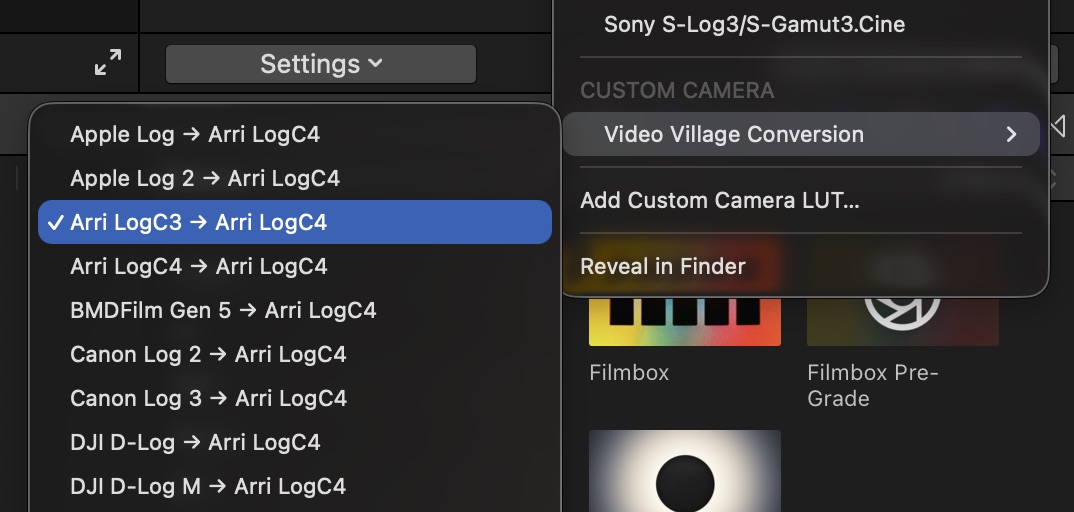
Filmbox and Scatter include tools to improve color management in Final Cut Pro, including Video Village Camera Conversions and, with Filmbox, a Pre-Grade effect that can be applied per-shot. While any workflow is possible, we recommend using an adjustment clip for Filmbox and Scatter unless per-shot adjustments are required. Take a look at the Filmbox learning guides for more info.
Scene-referred grading and Filmbox Photo Mode for still photography
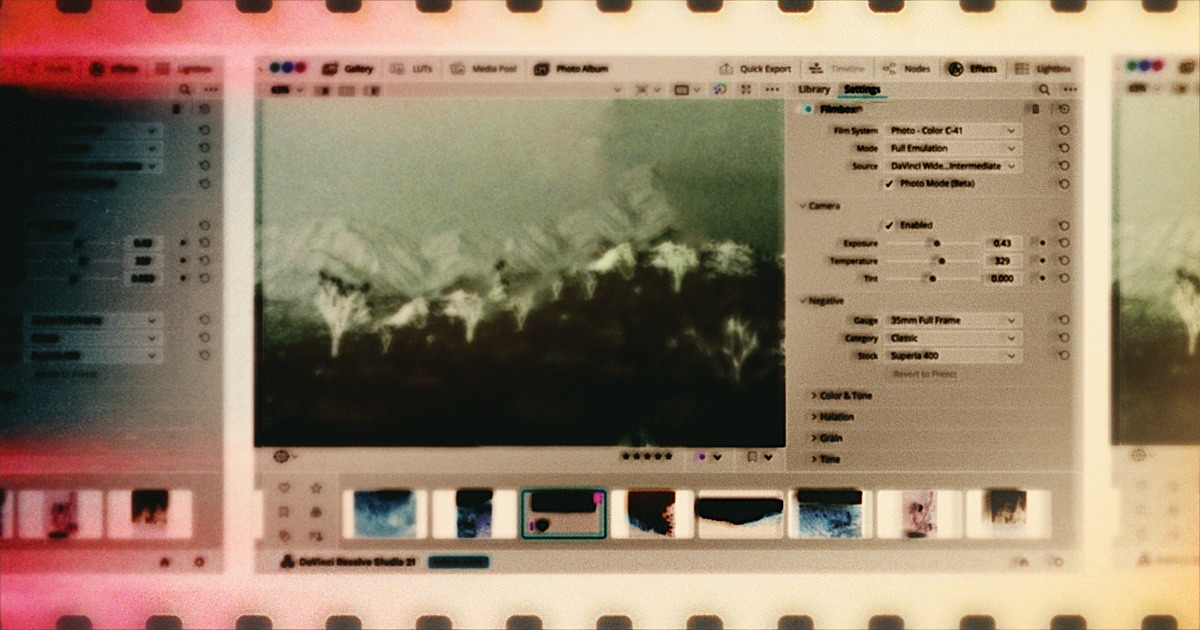
Good news, everyone! DaVinci Resolve 21 introduced a dedicated Photo interface.
That’s a big deal. It means photography can now benefit from scene-referred grading, cinema-style color tools, and advanced film emulation like Filmbox — which leverages scene-referred color processing for especially authentic results. This hasn’t been possible in the traditional photo software ecosystem.
In this guide we’re going to show you an accurate cinema-style grading workflow for photography in Resolve, help you overcome Resolve’s limited RAW-format support, and introduce Filmbox Photo Mode, built specifically for Resolve 21.
Interface
Resolve groups functionality into “pages.” Photography workflows use the Photo page for import, organization, triage, cropping, and reframing. The Color page is where all grading, correction, and film emulation should be done, and the Deliver page is for exporting.

Scene-referred color
To get the benefits of cinema color workflows, we need to get photos into a scene-referred color space, which can only be done accurately from a raw image file.
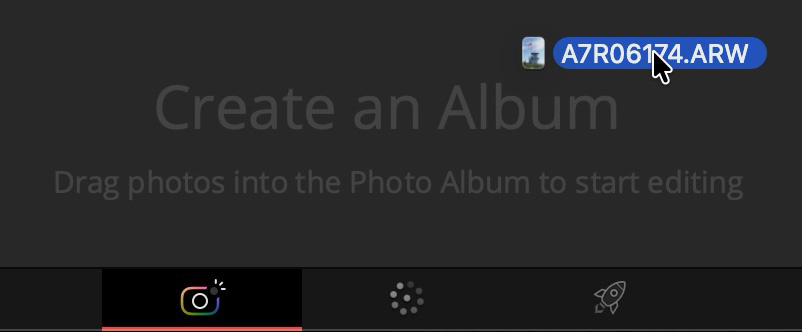
Start on the Photo page by dragging RAW photos onto “Create an Album”. By default, Resolve renders RAW images with a generic Rec.709 transform, which looks reasonable but isn’t what we want. Instead of building transforms manually, just enable DaVinci Color Management under Project Settings, and configure it like this:
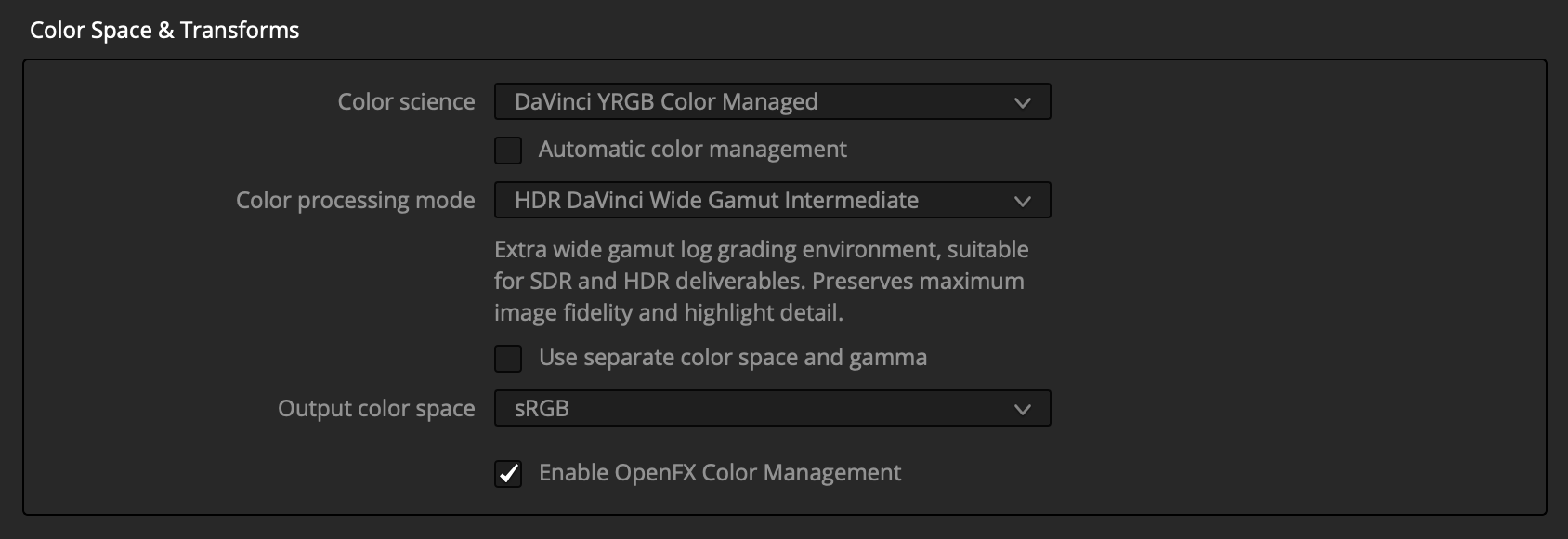
Resolve will now handle all this setup so we can get to grading:
- Converts all RAW images to the DaVinci Intermediate scene-referred log working space.
- Configures grading tools to operate accurately in that space.
- Transforms the working space to sRGB for display, handling system display color management.
- Tags exports as sRGB.
RAW Format Support
Resolve’s RAW photo support is limited and has color-accuracy problems. Hopefully this will improve as it moves out of beta. For now, Blackmagic claims support for Sony, Fuji, Nikon, Canon, and iPhone RAW, but many of these images render with subtle to dramatic color and tonal inaccuracies in scene-referred workflows, especially Fuji and iPhone ProRAW. Even when color is accurate, images often come in quite dark.
To help with this, we built a free tool called Rawzone that converts nearly every RAW format into scene-referred files. We recommend trying it if your images are looking strange in this workflow:

With Rawzone’s default settings, you can drop the converted EXR file straight into the Photo page, and the color management we set up will adapt it automatically. (Resolve only recognizes ACES color tags, so if you choose a different color space you’ll need to tag it manually in Resolve.)
Non-RAW photos
RAW files are required for true scene-referred image data, but JPEGs and other non-RAW files can often work reasonably well in this pipeline with reduced accuracy and latitude.
Time to Grade
You may notice the Photo page has some color controls, but we recommend doing all color work on the Color page.
With color management configured, we can now make accurate exposure and balance adjustments on the Color page using the color-space-aware HDR > Global tool.
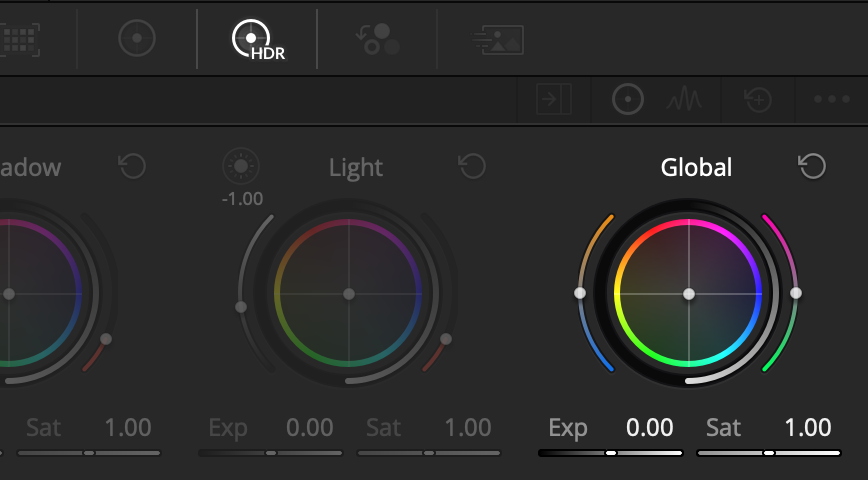
If you’re a Resolve veteran, you can take it from here. If you’re new, the Color page can feel daunting, but YouTube is full of great tutorials. Filmbox Looks can also help simplify things by giving you a library of high-quality emulations and curated controls.
 Filmbox Photo Mode
From the Color page, open the Effects tab and drag Filmbox Looks or Pro onto a node in the node graph. Then enable Photo Mode.
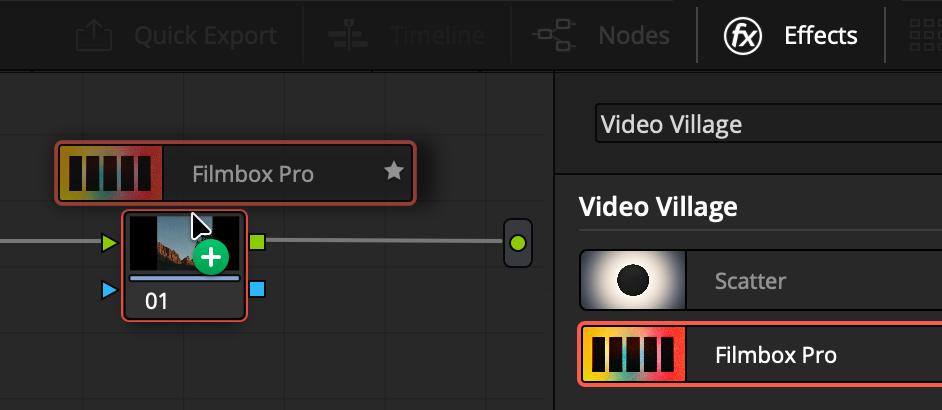
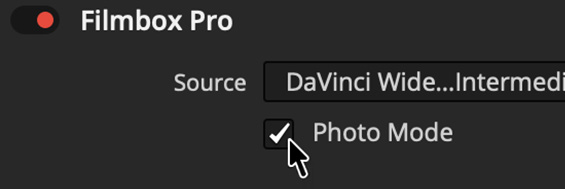
Photo Mode is built to function with the color management we just set up, so no further configuration is necessary. Photo Mode enables Filmbox to operate at much higher resolutions for photography.
Now you can explore Filmbox’s enormous selection of still photo stocks and Looks presets as they were meant to be seen, and pair with Scatter for beautiful optical diffusion.
 Filmbox Photo
As much as we love Resolve, we want a more expressive way to use Filmbox for photography — so we're building a dedicated photography app, coming first to Mac and iOS.
Sign up for updates
Filmbox Photo
As much as we love Resolve, we want a more expressive way to use Filmbox for photography — so we're building a dedicated photography app, coming first to Mac and iOS.
Sign up for updates
101 photochemical presets built from real film stocks
The original purpose of Filmbox was to bring extremely accurate and complete film emulation to high-end cinema production.
Today it’s trusted on the biggest shows and movies, and with our recent launch of Filmbox Pro it has given professional colorists and filmmakers an even deeper toolset for crafting photochemical color, texture, and behavior.
But! Since the beginning, people have managed to use Filmbox on music videos, weddings, reels, home movies - anywhere there’s a moving image.
There are indeed no small projects, only small budgets.
With that in mind, we’ve been working on a streamlined way to bring the same photochemical fidelity to more sets, more timelines, and more creators of every kind.
Meet Filmbox Looks
Filmbox Looks is centered around a library of 101 genuinely useful presets, built on real stocks and tuned for specific aesthetics and purposes. Simple controls let you adapt each look to your needs.
Under the hood it runs the same ultra-organic spatial, textural, and photometric processing as Filmbox Pro. It’s also fully compatible with Pro for advanced customization and high-end post.
If you already have Filmbox Pro, simply update to 3.3 or above to get access to all the Filmbox Looks features! When using Filmbox Pro, click “Switch to Filmbox Looks” to choose a look, and “Apply to Filmbox Pro” to bring all those settings into Filmbox Pro.
The Looks
The Looks Library is organized into 11 families of looks with specific purposes.
The core families are arranged from least-filmy to most-filmy to give a lot of choice to the workhorse aesthetics that anchor most work:
- Clean & Commercial
A hint of filmic-ness with natural color, neutral whites, and minimal grain/halation; great for product and brand work. (Includes Pop and Beauty spatial-processing variants.) - Idealized 35mm
Film-like color and tonality with more controlled characteristics. - Full 35mm
Maximum authenticity: full photochemical color response, gate weave, grain, halation, and the occasional speck of dust.
Then, for stronger vibes and nostalgia:
- 16mm
Gritty indie energy, bigger grain, dreamy halation, strong weave. - 8mm
Nostalgic charm with dramatic halation, gritty grain, smudgy dust, and flicker.
The remaining six families are built around specific aesthetics:
- Pastel & Low-Contrast
soft, airy palettes - Photography
popular still-photo negatives, including CineStill variants - Iconic
homages to distinctive movie looks - Vintage Cinema
period-evocative stocks - Black & White
monochrome imaging across eras - Extreme
bold, unconventional emulsions with wild character
Controls
Balance the image with scene-referred Exposure, Color Temp, and Tint.
Shape it with Contrast and Vibrance.
Then fine-tune spatial traits of the Look with Grain Amount, Halation Radius, Gate Weave Intensity, Dust Intensity, and Flicker Intensity (when present).
Platforms
Filmbox Looks and Filmbox Pro now support Adobe Premiere Pro and After Effects, in addition to DaVinci Resolve and Baselight.
You can also export plugin configurations as .filmbox files that travel across platforms. An editor using Filmbox Looks in Premiere could send a grade directly to a colorist using Filmbox Pro in Resolve or Baselight.
Seamless path to Filmbox Pro
Projects created in Filmbox Looks open directly in Filmbox Pro - no conversion required. And the full purchase price of Filmbox Looks can be credited toward Filmbox Pro.
We’re so excited to share Filmbox Looks with you, and we hope you like it!
A free upgrade with 98 film stocks, advanced grain controls, expanded lab tools, and Print Color Science 3.0
Hello, Pro
Four years ago we launched Filmbox to show that digital imaging could carry the soul of film. Since then it’s been behind multiple Oscar winners, many blockbusters, and countless series and commercials, becoming a fixture in the biggest post houses and a daily tool of thousands of colorists and DPs worldwide.
Three years ago, we set out to bring still photo emulsions to Filmbox. That effort quickly snowballed into a mission to capture every kind of photosensitive material we could — including a rare trove of unexposed vintage cinema negatives, among the last of their kind.
Guided by your feedback, we developed powerful new controls and grew Filmbox far beyond what we first envisioned. We’re excited to finally put all this functionality in your hands and give Filmbox a well-deserved “Pro” badge.
And because we love you, Filmbox Pro is a free upgrade for every customer.
What’s New?
A Vastly Expanded Photochemical Library
We’ve expanded from one photochemical system and four stocks to seven full photochemical systems spanning the gamut of cinema new and old, as well as the world of still photography. Filmbox Pro now includes 98 individual stocks. Now that’s a big box of film!
 Vision3
- The familiar Vision3 stocks from Filmbox 2.0 with enhanced print color science.
 Vintage Cinema
- Introduces 30 Kodak and Fuji stocks discontinued between 1999–2013; some look quite new, others have a beautiful patina.
- Lab module offers “Neutralize” and “Defog” parameters to de-age them to taste.
 Ektachrome ECN-2
- This system emulates Ektachrome reversal that has been cross-processed in ECN-2 chemistry to produce a negative, as is often done for motion picture production. The result is a strong, expressive look (e.g., Euphoria).
- The print module is tailored for Ektachrome: “Extended“ simulates a telecine-style transform for the negative’s unique response, “Full” simulates a print resulting in high contrast, and “Standard” provides a middle between the two.
 Cinema - Bleach Bypass
- Bleach bypass can be done to a negative or a print; in this case, we applied it to the negative to produce the “Minority Report” look. It’s presented here in ten strengths.
 Photo - Color C-41
- Introduces 32 negative stocks, including nearly every still photo stock in production and many that are discontinued, grouped into 6 categories.
- The print module is tailored for Photo negatives: “Full” simulates photochemical printing of the negative to chromogenic paper, “Extended” emulates a laboratory scan of the negative, and “Standard” is a midpoint between them.
 Photo - Black & White
- Introduces possibly too many B&W still photo stocks, varying in grain, highlight bloom, and chromatic response.
- The print module is tailored for BW negatives: “Full” simulates photochemical printing of the negative, “Extended“ emulates a laboratory scan of the negative, and “Standard” is a midpoint between them.
 Photo - Reversal E-6
- Introduces 5 slide films, including Ektachrome processed as designed. These stocks develop into a projectable positive that we have directly profiled. We also included 2 Instax instant films.
- There is no separate “Print” step, but we include print module variables for consistency.
Aura
- Recreating negatives like CineStill involved modeling that jumbo halation that happens when you strip motion picture film of its anti-halation backing, and also sometimes occurs on black and white negatives. We included it as a tunable feature that you can add to any stock.
Acutance
- We added powerful controls to sculpt image acutance, with options for both fine-detail micro-contrast and variable adjustment of larger structures. You can control how much detail enhancement influences high-contrast edges, allowing you to either produce Mackie lines/halos or suppress them to emphasize subtle tonal variations. Negative acutance is also supported, enabling detail to be softened in an organic way.
Advanced Grain Controls
- Softness
Filmbox can now generate sharper, “tighter” grain by reducing the Softness parameter below its default value. - Roughness
New Roughness control allows you to enhance or suppress the mid-frequency “structure” of the grain without affecting high-frequency grain structure. - Streaks
New control adjusts the level of large-scale non-uniformities in exposure and color, aka “streakiness” of the negative. - Advanced Tonal Distribution
Introduced a 9-zone mixer for precise control over grain intensity across the tonal range. This is especially useful for fine-tuning grain presence in HDR highlights. - Granule Brightness
Parameters to adjust the brightness of bright and dark grain particles/granules. Useful for making grain more or less dynamic, especially when combined with roughness and streaks controls. - RGB Channel Mix
Added the ability to adjust the intensity of grain in each color channel.
Expanded Lab Tools
- Printer Lights
Adjust RGB offset of the negative as it gets “printed.” The values are equivalent to real printer points, and the scale can be inverted to make it more intuitive. - Color Density
Increase or decrease the luminance of highly saturated colors without changing saturation. - More Split-Tone Control
Added parameters to adjust the pivot point of split-tone, and control the slope of the highlight and shadows independently, as well as the ability to create a neutral zone around the pivot.
Filmbox Print Color Science 3.0
- We further refined our Vision3 print color science based on a new characterization:
- Full
exhibits less green bias and improved skin tone rendering. - Standard
Inherits the improvements to “Full” with further modifications for more natural green hues; saturated greens and cyans can achieve higher luminance. - Extended
Reworked to produce more vibrant and accurate tones in line with modern digital cinema display transforms while retaining a filmic base. - Neutralize Balance
Added a parameter under “Custom” to optionally neutralize cold shadows / warm highlights of the print without changing other aspects of its color rendition.
- Full
HDR 1000 nits
- The Highlight Unroll slider can now pass additional dynamic range through the print transform, allowing highlights to reach up to 1000 nits.
ACES 2.0
- Added support for using Filmbox in an ACES 2.0 pipeline with continued support for ACES 1.3 and Resolve Color Management
Tooltips
- A small thing, but an important one: hover your mouse over every property name in the plugin to get detailed info on how things function without pulling out the user guide.
Filmbox Legacy Support
- Filmbox Pro appears as a separate plugin in your host application so you can continue to work on projects where you have used Filmbox 2.0. This gives you the flexibility to migrate an in-progress project to Filmbox Pro or load up past work without issue.
- Filmbox 2.5 was simultaneously released with Filmbox Pro and is a “Long Term Support” version. For online licenses, this version will always be available to download from the Video Village Plugins app under the Filmbox -> Settings -> Install Other Versions menu. For offline licenses, visit your Filmbox license page and click “Other Versions” next to the download button.
We’ve spent years on Filmbox Pro, and we’re so excited to finally put it in your hands – we can’t wait to see what you make with it!
At long last, customers may enjoy each operating system equally
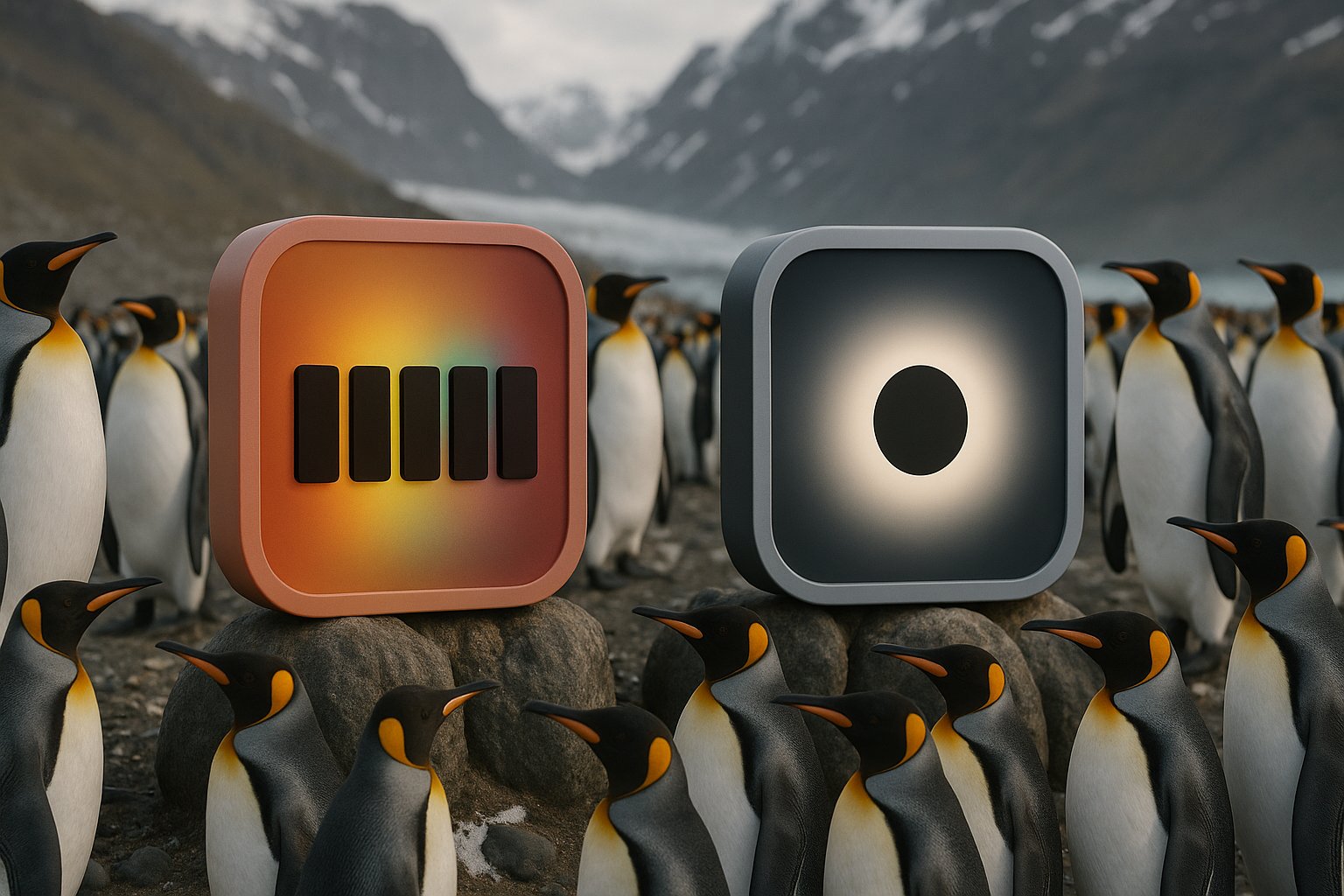
Create hybrid film looks with new standard and extended print options
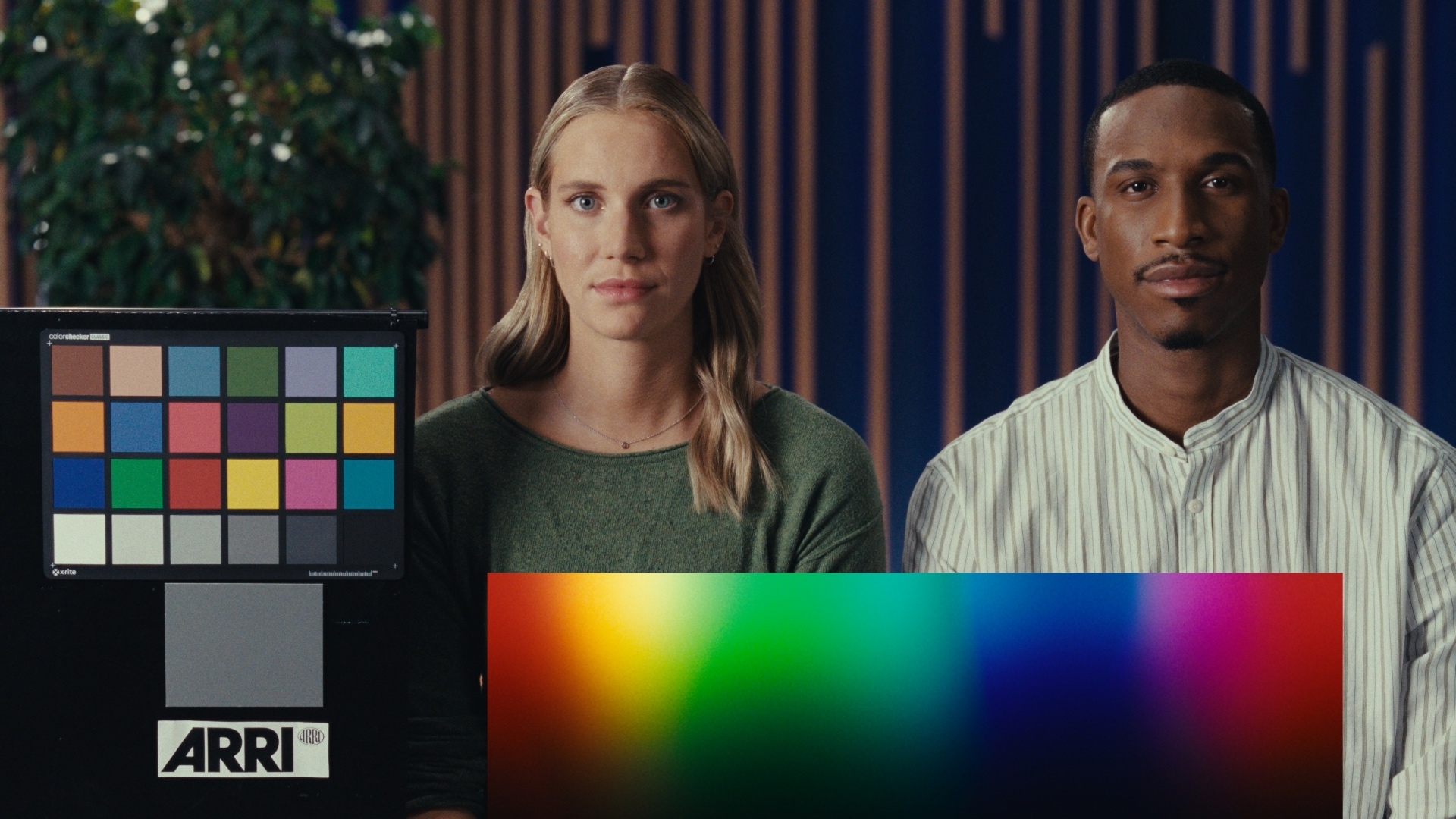
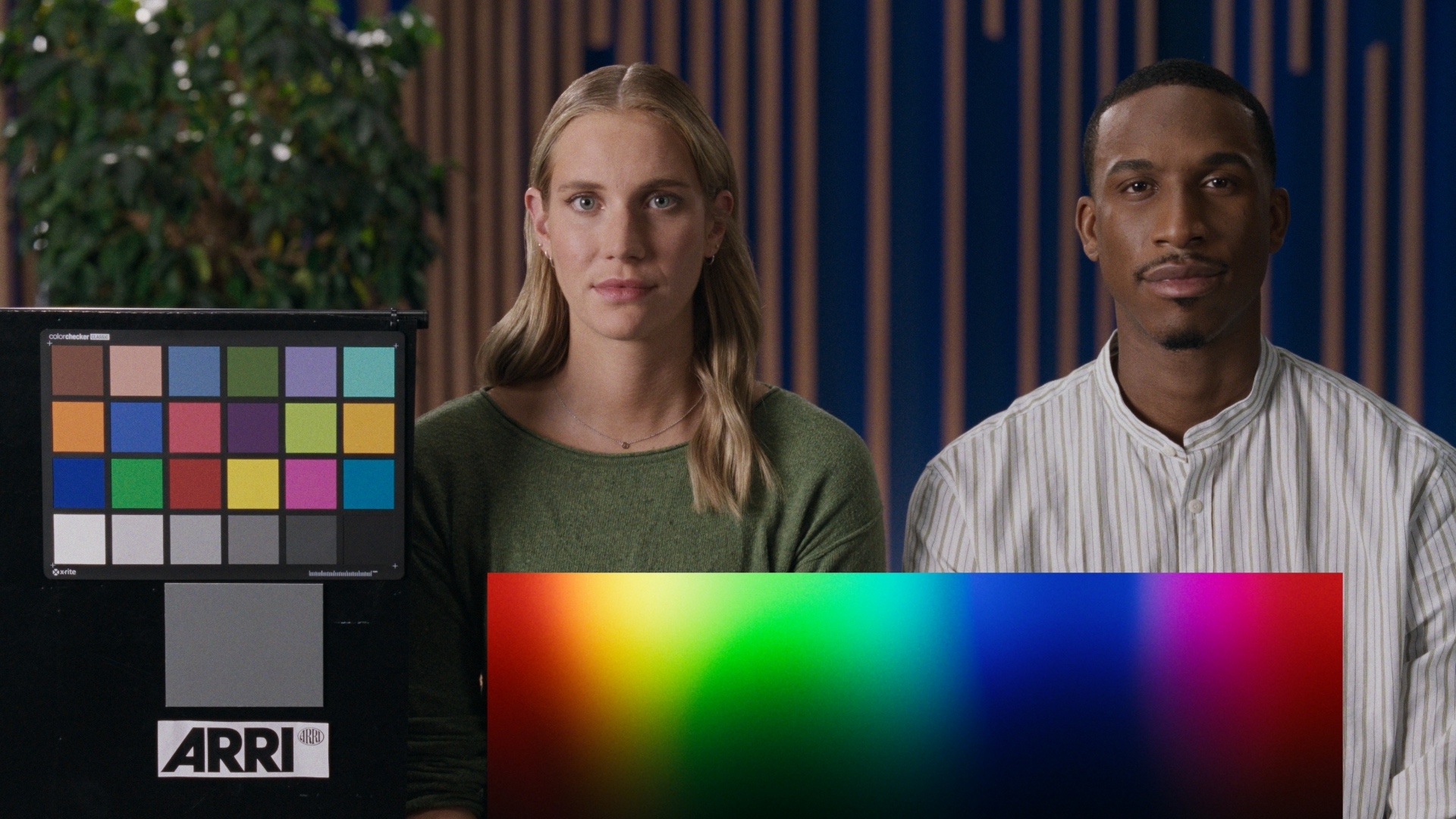
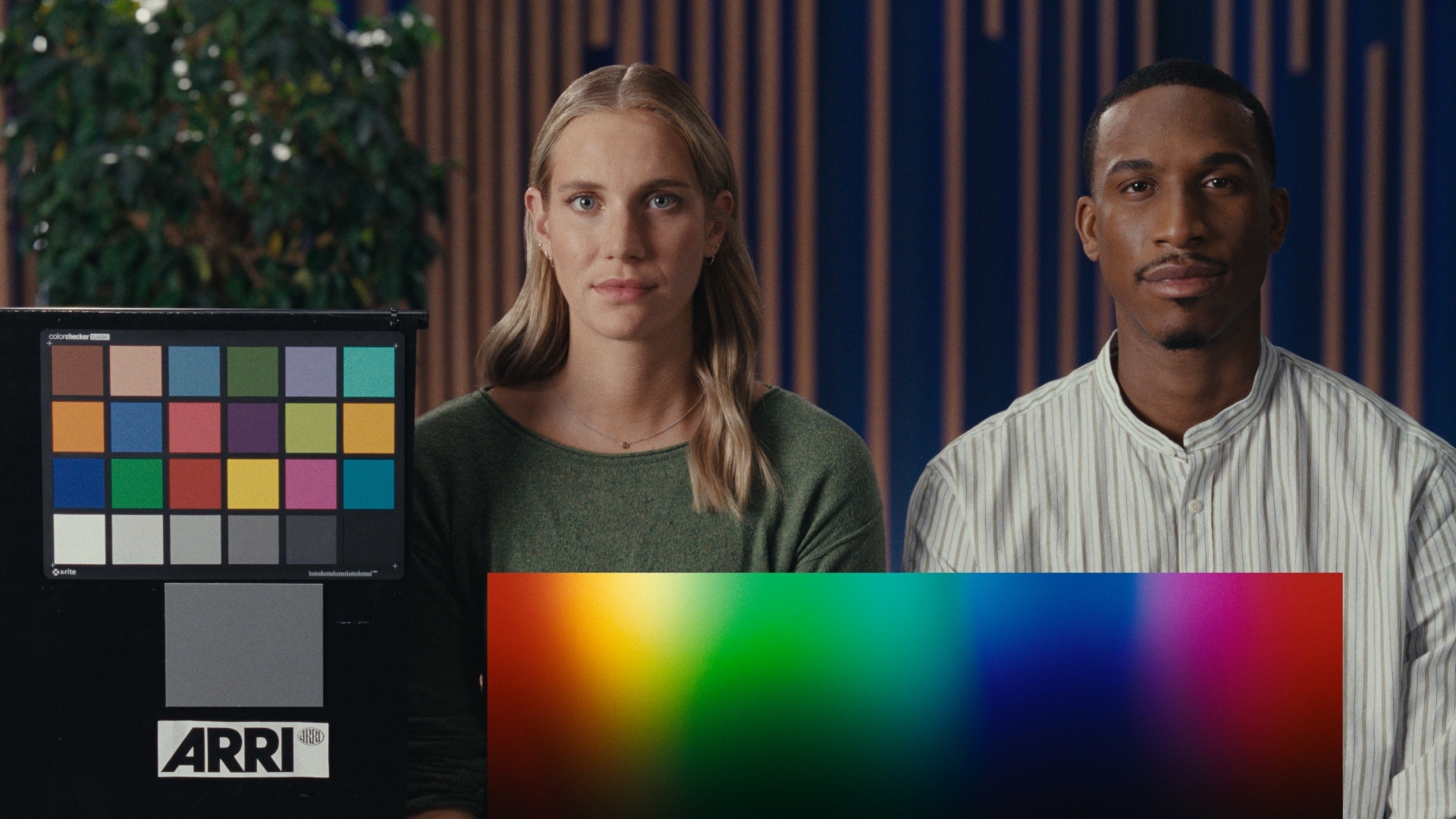
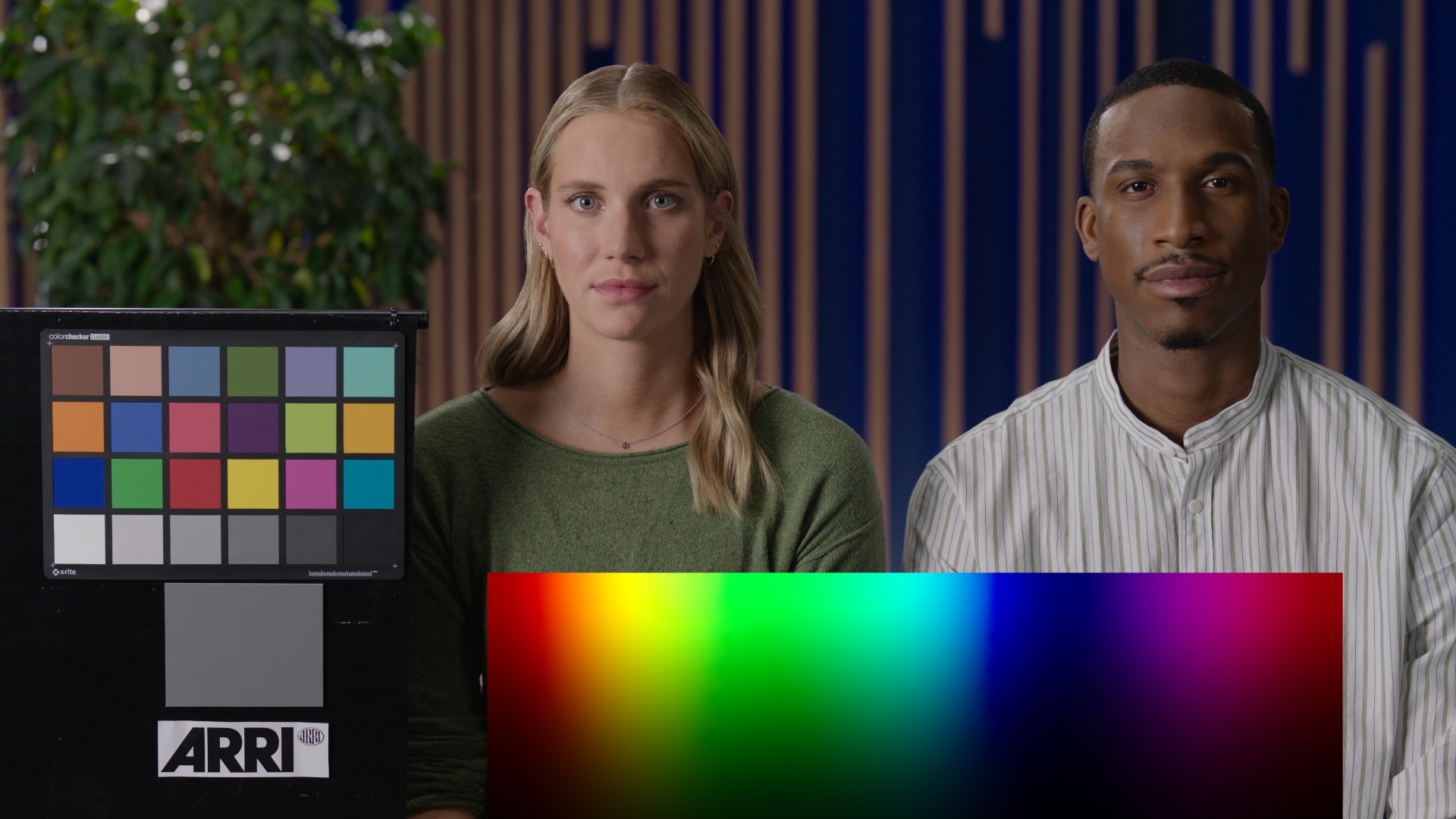
Filmbox, our film emulation plugin, is carefully designed to offer technically accurate emulation while also providing simple creative controls for users who want to tweak the details of their aesthetic.
We’re excited to announce that Filmbox 1.8 launches today and includes new color science options to allow you to achieve new kinds of hybrid looks.
We’ve heard from some filmmakers that they want to be able to dial back particular characteristics of Filmbox’s color processing to achieve a less stylized look that still reads as filmic. This is particularly useful in commercial work where it can be important to achieve neutral white tones and highly saturated colors, or for creating hybrid looks that sit somewhere between photochemical emulation and traditional digital display preparations. This is less accurate in an empirical sense, but it can be very useful in situations where you want to evoke film without being constrained by its exact technical details.
We’ve enhanced the Print module, enabling it to bypass certain aspects of the 2383 print characterization more effectively.
That module has always offered three styles:
- “Full” – the most faithful to our characterization of the contact print
- “Standard” – similar to “Full” with a slightly less aggressive curve that permits a bit more detail in the shadows
- “Extended” – inspired by the characteristics of the contact print but modified to more closely resemble digital display transforms
The “Full” and “Standard” styles have not changed and continue to provide an accurate representation of the print’s photometric response.
However, we’ve modified the “Extended” style to function more like a telecine-style transform that mimics the tonal and color characteristics of popular digital cinema display transforms more closely. Compared to the previous version, it retains a neutral grey axis while exhibiting less warped hues, more neutral skin tones, less constrained gamut, and has a black point that approaches zero. As always, these characteristics can be customized and blended using the “Custom” print parameters.
New grades will use the improved color science when the “Extended” style is selected. The previous color science can still be accessed by setting “Version” to “1.0” while using the “Extended” style. Existing grades created using the “Extended” style will use “1.0” by default and can be switched to “2.0” manually.
We hope this new color pipeline allows you to explore new looks and enable you to use Filmbox more flexibly and in more kinds of projects!
For more details about the color science of Filmbox, please visit the Filmbox product page or read more about Filmbox as a Format.
Full NVIDIA GPU acceleration with real-time performance
We’re excited to announce that Scatter, our digital diffusion plugin, is now available for Windows users! Built specifically for NVIDIA GPUs (update: now supports AMD and Intel GPUs via OpenCL), Scatter brings the power of physically accurate diffusion to Windows platforms.
Scatter is designed to emulate the effect of real optical diffusion filters, providing accurate, consistent, and controllable diffusion right in DaVinci Resolve.
Scatter for Windows maintains the same functionality as its macOS counterpart, including full GPU acceleration and realtime performance even on modest hardware.
 Made in California