


Scene-referred grading and Filmbox Photo Mode for still photography
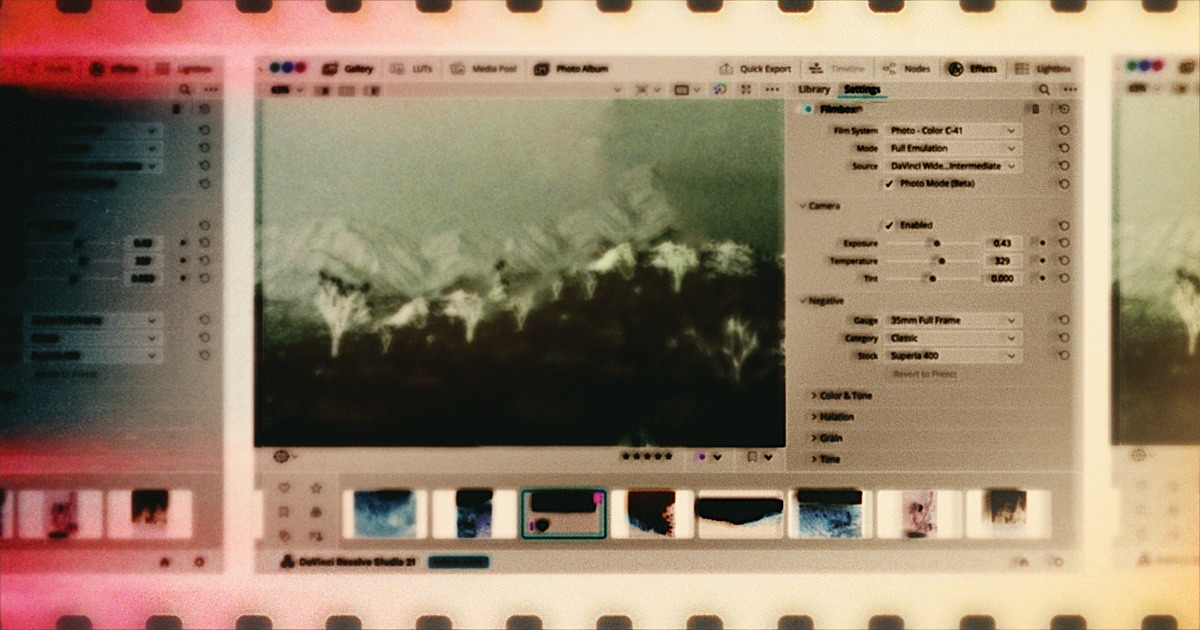
Good news, everyone! DaVinci Resolve 21 introduced a dedicated Photo interface.
That’s a big deal. It means photography can now benefit from scene-referred grading, cinema-style color tools, and advanced film emulation like Filmbox — which leverages scene-referred color processing for especially authentic results. This hasn’t been possible in the traditional photo software ecosystem.
In this guide we’re going to show you an accurate cinema-style grading workflow for photography in Resolve, help you overcome Resolve’s limited RAW-format support, and introduce Filmbox Photo Mode, built specifically for Resolve 21.
Interface
Resolve groups functionality into “pages.” Photography workflows use the Photo page for import, organization, triage, cropping, and reframing. The Color page is where all grading, correction, and film emulation should be done, and the Deliver page is for exporting.

Scene-referred color
To get the benefits of cinema color workflows, we need to get photos into a scene-referred color space, which can only be done accurately from a raw image file.
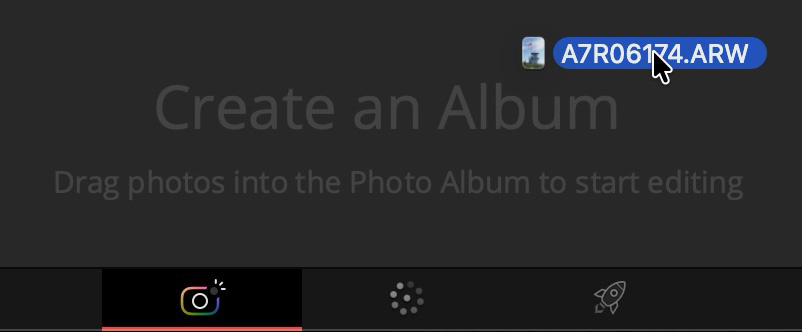
Start on the Photo page by dragging RAW photos onto “Create an Album”. By default, Resolve renders RAW images with a generic Rec.709 transform, which looks reasonable but isn’t what we want. Instead of building transforms manually, just enable DaVinci Color Management under Project Settings, and configure it like this:
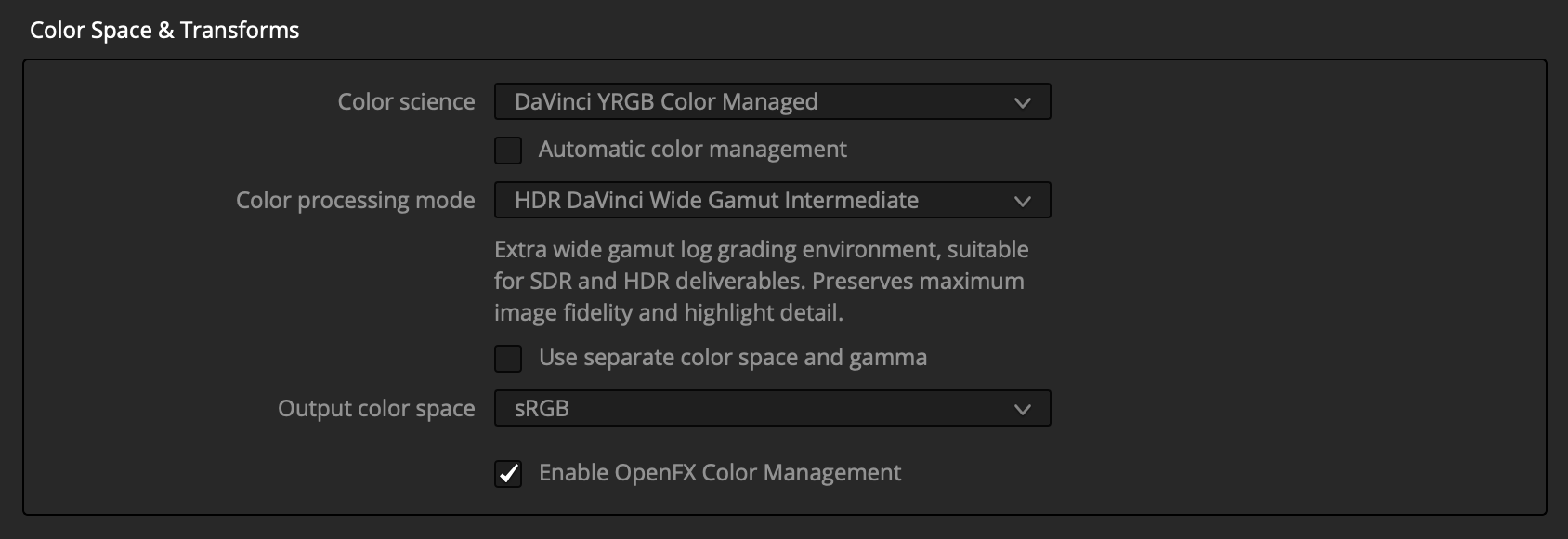
Resolve will now handle all this setup so we can get to grading:
- Converts all RAW images to the DaVinci Intermediate scene-referred log working space.
- Configures grading tools to operate accurately in that space.
- Transforms the working space to sRGB for display, handling system display color management.
- Tags exports as sRGB.
RAW Format Support
Resolve’s RAW photo support is limited and has color-accuracy problems. Hopefully this will improve as it moves out of beta. For now, Blackmagic claims support for Sony, Fuji, Nikon, Canon, and iPhone RAW, but many of these images render with subtle to dramatic color and tonal inaccuracies in scene-referred workflows, especially Fuji and iPhone ProRAW. Even when color is accurate, images often come in quite dark.
To help with this, we built a free tool called Rawzone that converts nearly every RAW format into scene-referred files. We recommend trying it if your images are looking strange in this workflow:

With Rawzone’s default settings, you can drop the converted EXR file straight into the Photo page, and the color management we set up will adapt it automatically. (Resolve only recognizes ACES color tags, so if you choose a different color space you’ll need to tag it manually in Resolve.)
Non-RAW photos
RAW files are required for true scene-referred image data, but JPEGs and other non-RAW files can often work reasonably well in this pipeline with reduced accuracy and latitude.
Time to Grade
You may notice the Photo page has some color controls, but we recommend doing all color work on the Color page.
With color management configured, we can now make accurate exposure and balance adjustments on the Color page using the color-space-aware HDR > Global tool.
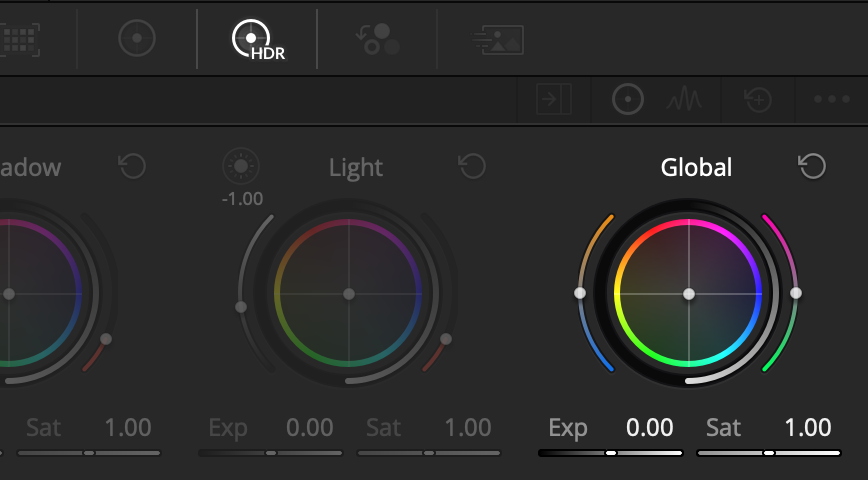
If you’re a Resolve veteran, you can take it from here. If you’re new, the Color page can feel daunting, but YouTube is full of great tutorials. Filmbox Looks can also help simplify things by giving you a library of high-quality emulations and curated controls.
 Filmbox Photo Mode
From the Color page, open the Effects tab and drag Filmbox Looks or Pro onto a node in the node graph. Then enable Photo Mode.
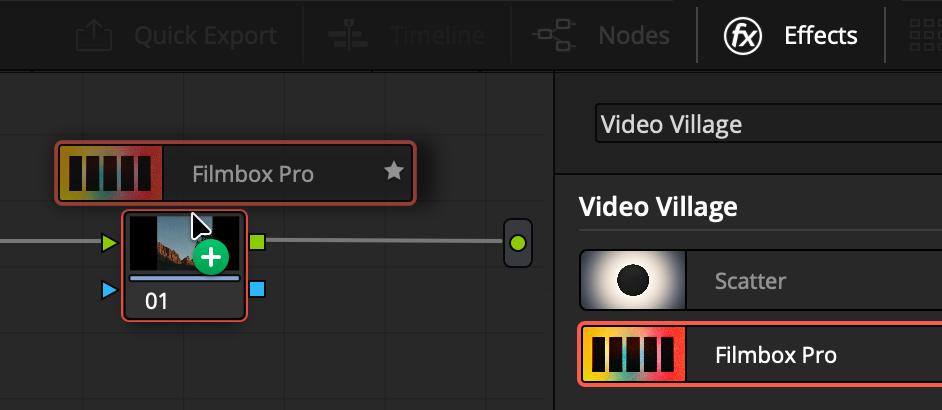
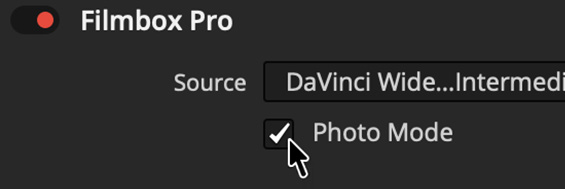
Photo Mode is built to function with the color management we just set up, so no further configuration is necessary. Photo Mode enables Filmbox to operate at much higher resolutions for photography.
Now you can explore Filmbox’s enormous selection of still photo stocks and Looks presets as they were meant to be seen, and pair with Scatter for beautiful optical diffusion.
 Filmbox Photo
As much as we love Resolve, we want a more expressive way to use Filmbox for photography — so we're building a dedicated photography app, coming first to Mac and iOS.
Sign up for updates
Filmbox Photo
As much as we love Resolve, we want a more expressive way to use Filmbox for photography — so we're building a dedicated photography app, coming first to Mac and iOS.
Sign up for updates
 Made in California