


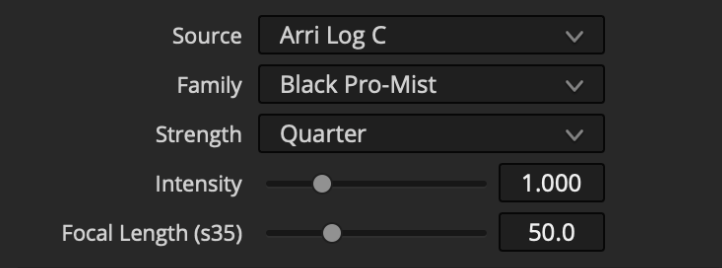
Source
Choose the colorspace of your “log” or “scene-referred” footage or working space.
It is not technically possible to produce accurate diffusion from “display-referred” footage but we have included the “(Inaccurate) Gamma 2.4” Source option which may produce a useful approximation on generic Rec.709 or sRGB “display-referred” source footage or graphics.
Family
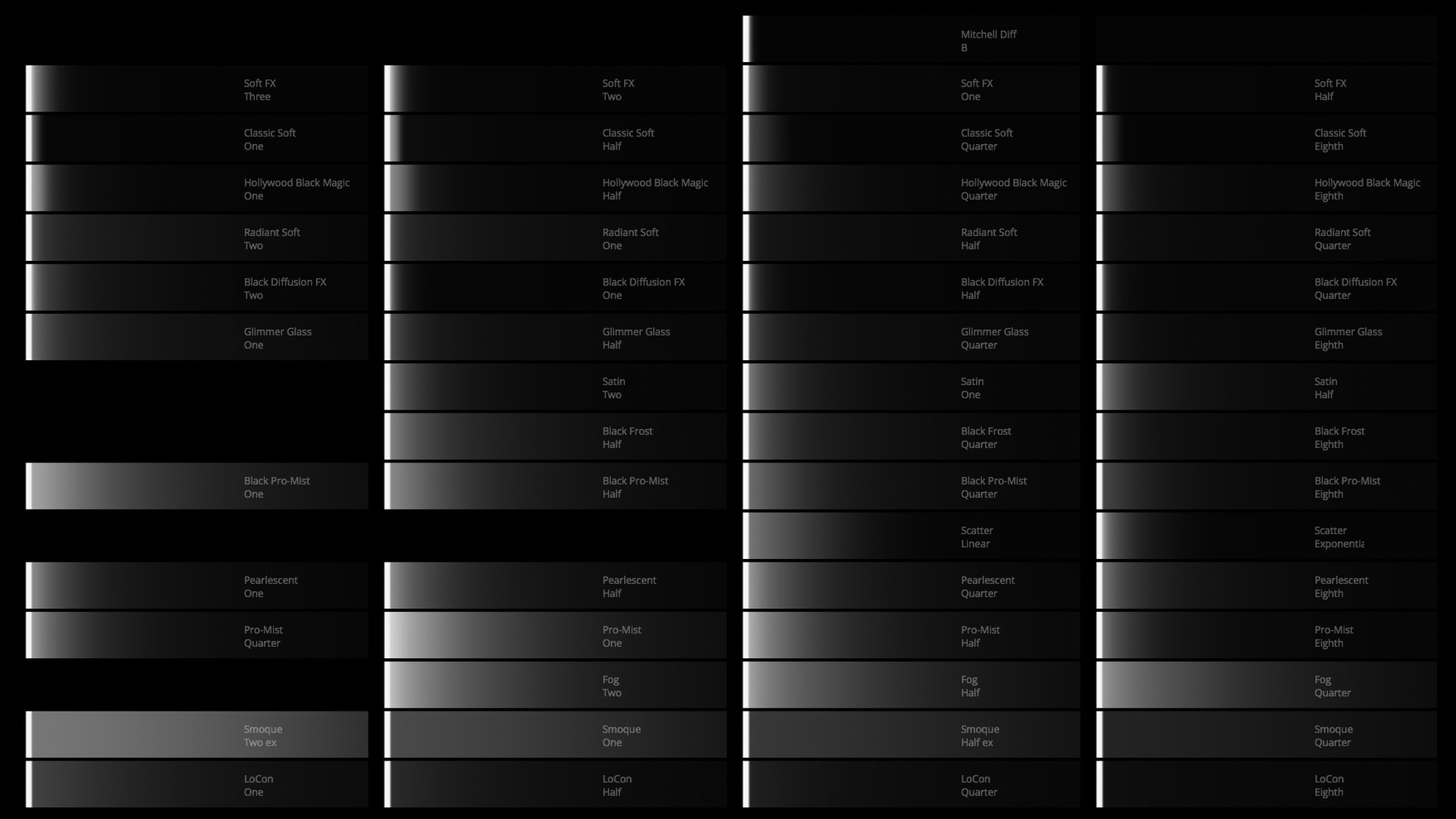
Select the family of profiled filters.
Here is a comparison of each filter on a bright white source:
Strength
Select the strength of the selected filter family.
Intensity
Amplify or reduce the effect of the active filter. Modifying intensity is not necessarily the same as selecting a different filter strength since some filter families do not have consistent characteristics between strengths.
Focal Length
The size of diffusion falloff typically varies with the field of view of the lens/sensor. The profiled filters have been calibrated for a 50mm lens on a s35mm sensor. This slider reduces/enlarges the falloff to approximate other fields of view (expressed in millimeters of focal length on s35mm).
 Made in California